
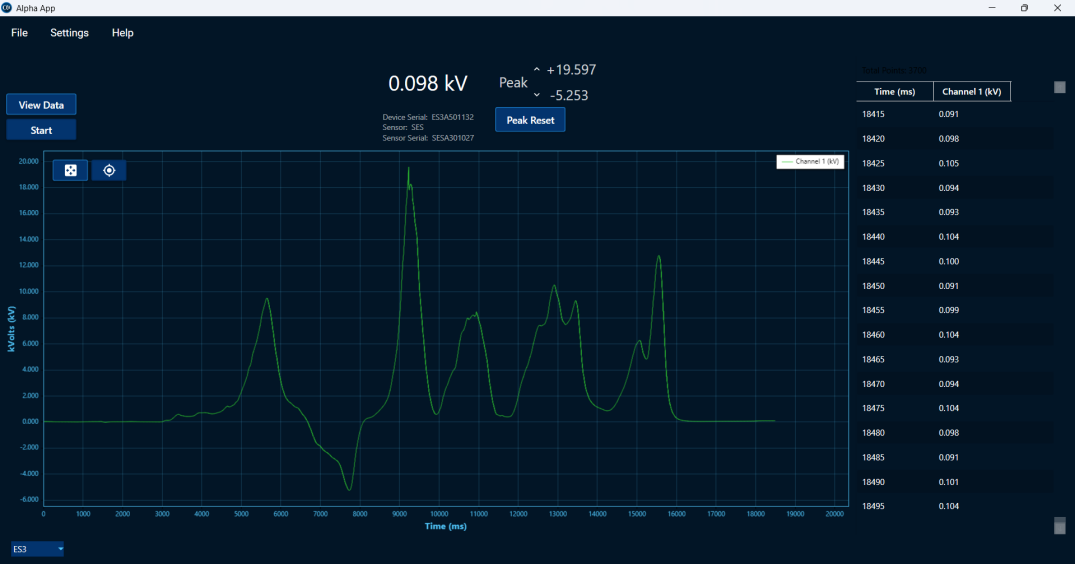
 Dark Mode
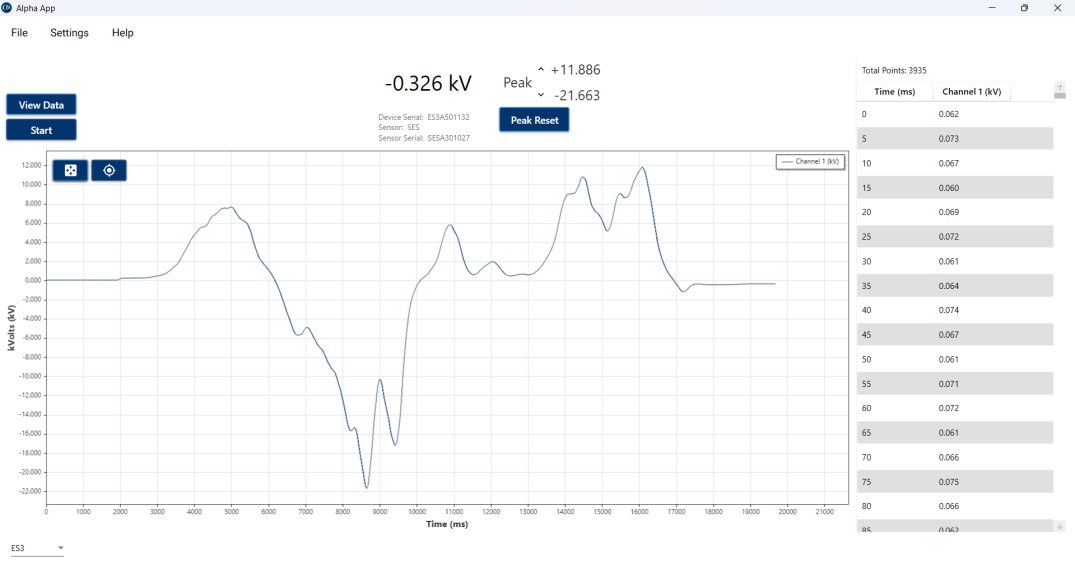 Light Mode
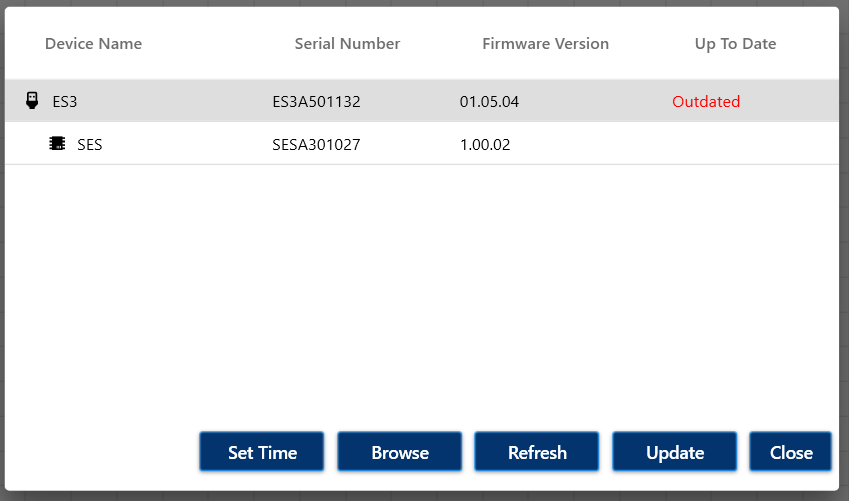 Device Management
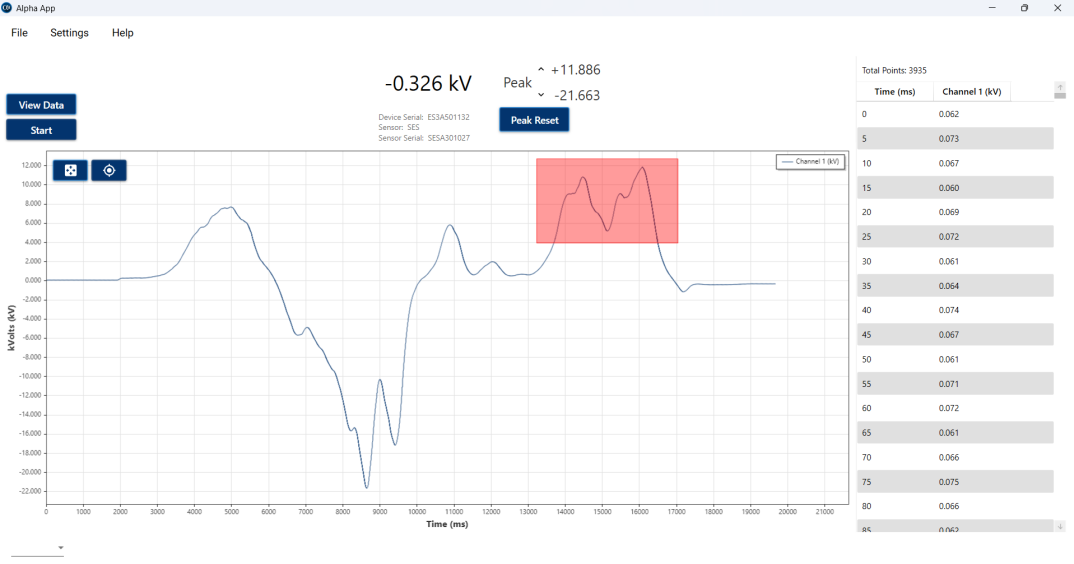 Zoom Area
AlphaApp3 Data Acquisition
AlphaApp 3 is the next-generation data acquisition and device management software designed specifically for AlphaLab’s latest scientific instruments. Connect a supported meter over USB and AlphaApp 3 turns your PC into a full measurement workstation — capturing readings in real time, retrieving data logged on the device itself, and giving you the tools to visualize, review, and export everything you record.
The application works two ways to fit how you actually collect data. You can stream measurements live from a connected meter and watch them plotted on screen as they arrive, or you can let the meter log data on its own and download the stored recording into AlphaApp 3 afterward for analysis. Whichever method you use, captured data can be saved directly to your PC, exported as CSV files for easy analysis in Excel or any spreadsheet software, and explored with the built-in graphing and analysis tools.
Supported Instruments and Sample Rates
AlphaApp 3 currently supports two instruments, each with sample rates tuned to what the meter measures:
The ES3 Static Electricity Meter streams at 200 samples per second, giving you smooth, responsive capture of static and electrostatic field measurements in real time.
The GM330 Gaussmeter adapts its sample rate to the measurement mode. In DC mode it streams at 200 samples per second, and in AC mode it steps up to 4,000 samples per second for high-speed data capture — fast enough to support AC speeds up to 2kHz and resolve rapidly changing magnetic fields that slower logging would miss. The GM330 also measures across three axes, so AlphaApp 3 can stream and display the X, Y, and Z components alongside the total magnitude simultaneously, all plotted together in real time. That makes it easy to see not just how strong a field is, but how it’s oriented and how each axis contributes.
For legacy USB supported meters not listed, please visit the page for the original AlphaApp.
Interactive Data Navigation
AlphaApp 3 features a powerful, responsive graphing interface that makes exploring your data intuitive rather than tedious. You can pan across a recording, zoom in on a region of interest, scroll through long datasets, and zoom to fit the entire capture on screen with a single action. Whether you’re reviewing a multi-hour log or inspecting a brief transient, navigating to exactly what you want takes seconds.
The graph and the underlying data table are fully linked. Click a point on the chart and AlphaApp 3 jumps straight to that same reading in the data view — and it works in reverse too, so selecting a row in the table highlights the corresponding point on the graph. Individual data points can be inspected directly with precise tooltip readouts and cursor tracking, making it simple to pull an exact value from anywhere in your recording without guessing or hunting.
The interface is available in both light and dark modes, so you can match your working environment — a bright lab bench or a dim measurement setup — and keep the display comfortable during long analysis sessions.
Reviewing, Storing & Exporting Data
Every recording you make can be reviewed in full inside AlphaApp 3, saved to disk for safekeeping, and reopened later for further analysis. When you’re ready to take your measurements elsewhere, one-click CSV export hands your data off cleanly to spreadsheet software, statistical packages, or your own analysis scripts — no reformatting or manual cleanup required. It’s a straightforward path from live measurement to saved record to shareable, analyzable file.
Device Management & Continuous Improvement
AlphaApp 3 also serves as a complete management tool for your connected AlphaLab instruments. Beyond capturing data, it keeps your hardware current. We regularly release software updates that add new features, incorporate customer-requested enhancements, and deliver improved performance and reliability.
Firmware management is built right in. When you connect a device and navigate to device management, AlphaApp 3 contacts our server and retrieves the latest firmware available for your attached meter — and for any connected probes that support updatable firmware. From there, updating is entirely your call: you can review what’s available and choose to install it or skip it.
AlphaApp 3 acts as a secure gateway to retrieve these updates, and all device updates are optional and manual — they are never forced or automatic. Firmware updates do not affect or invalidate device calibration, so keeping your instrument current never means a trip back for recalibration.
Changelogs for device and probe firmware are available on their respective product pages, and the AlphaApp 3 changelog can be found here.
Please note – If you have an ES3 with firmware below version 1.05.02, you will need to update the ES3 firmware before you can stream or record data into AlphaApp3. Download the AlphaApp3, plug in the ES3, and in AlphaApp3 go into Settings -> Manage Devices to run the update
Supported Operating Systems:
- Windows 11
- Windows 10
The End User License Agreement can be found here.